- HubSpot is easy to start with and popular with marketing teams, but costs rise steeply as you move up the paid tiers.
- Zoho usually costs a fraction of HubSpot at a comparable level, and Zoho One gives you 50+ business apps in one bundle.
- Choose HubSpot if marketing is your main focus and budget allows. Choose Zoho if you want sales, finance, support and operations on one platform at a lower cost.
- Whichever you choose, set it up properly. Most CRM problems come from a rushed set-up, not the software.
A note before we start: we are a Zoho Authorised Partner, so we know Zoho very well. We also know HubSpot, and we will always tell you honestly if it is the better fit for your business.
At a glance
| Zoho | HubSpot | |
|---|---|---|
| Best for | Businesses wanting one platform for sales, finance, support and operations | Marketing-led businesses wanting an easy all-in-one marketing and sales tool |
| Ease of getting started | Good, with more options to shape it around you | Simple to begin |
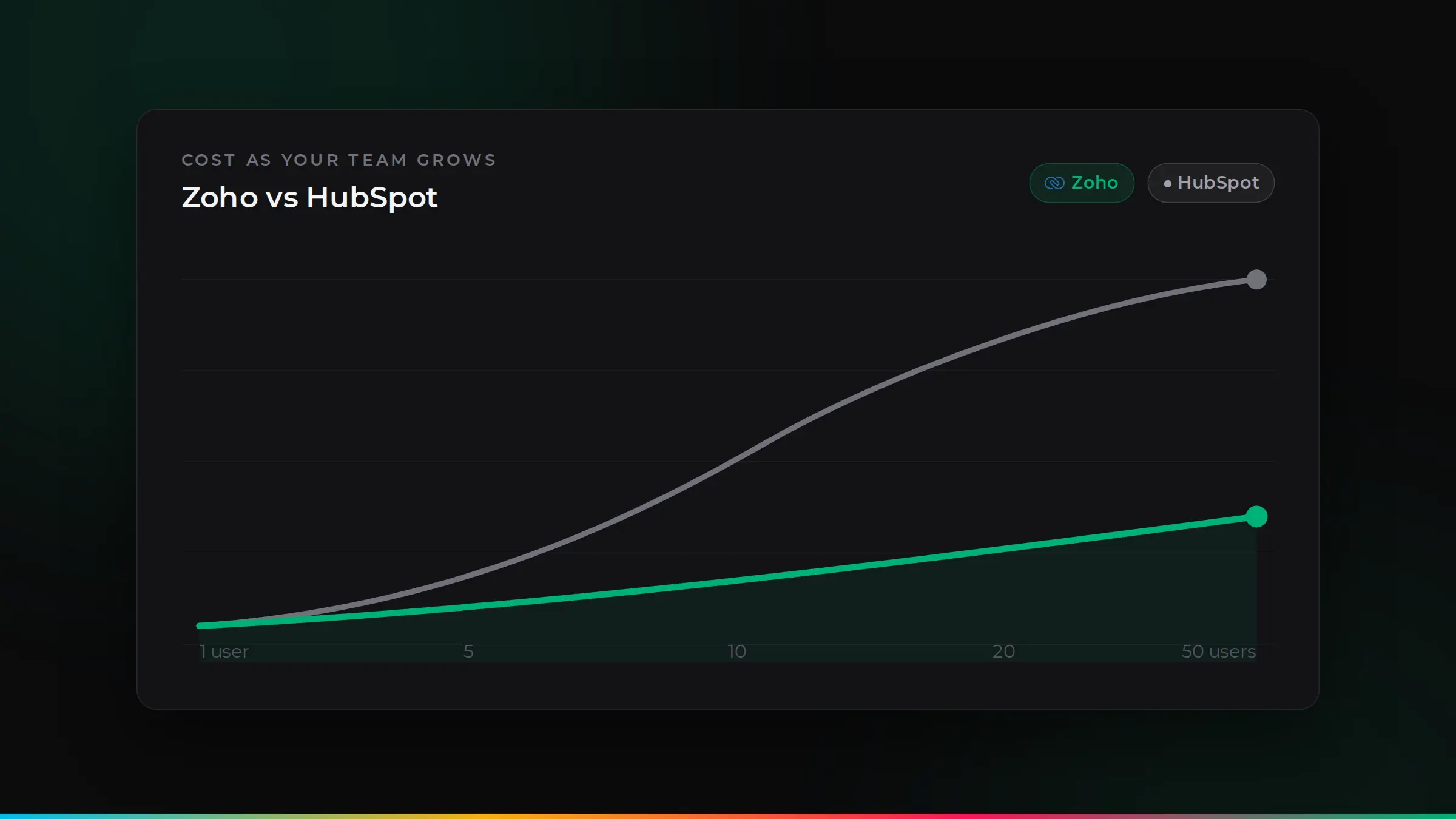
| Cost as you grow | Lower, with a gentle step between plans | Higher, with a big jump to the Professional tier |
| Customisation | Very flexible (custom fields, workflows, apps) | Flexible, with more advanced features on higher tiers |
| Beyond CRM | Zoho One: 50+ apps including accounting, HR, support and projects | Hubs for marketing, sales, service, content and operations |
Ease of use
HubSpot is easy to pick up, and its free CRM lets small teams start quickly. Zoho offers more settings and options, which means a little more set-up, but also much more freedom to shape it around how your business works. With a proper set-up, both are easy for your team to use day to day.
Features
For the core CRM (contacts, companies, deals, tasks, emails and pipelines) both are strong. The differences show up as you grow:
- Marketing: HubSpot is best known for its marketing tools. Zoho Campaigns, Zoho Marketing Automation and Zoho Social cover the same needs, usually at a much lower cost.
- Automation: both automate follow-ups and tasks. HubSpot keeps many advanced automations for its higher tiers, while Zoho includes a lot of automation on its mid-range plans.
- Reporting: both have good dashboards. Zoho Analytics adds deeper reporting across all your business data.
Customisation
This is where Zoho stands out. You can add custom fields, modules, page layouts and workflows, and even build your own apps with Zoho Creator. That makes it a good fit for businesses with their own way of working. HubSpot is customisable too, but many of the more advanced options sit on its higher, more expensive tiers.
Beyond the CRM
If you want more than sales and marketing, the difference gets bigger. Zoho One bundles 50+ apps, including CRM, accounting (Zoho Books), helpdesk (Zoho Desk), projects, HR, forms and analytics, all sharing the same customer data. HubSpot focuses on marketing, sales, service and content, and usually connects to separate tools for accounting and HR.
Costs
Pricing changes often, so always check the current UK prices on each company’s website. As a general guide:
- HubSpot has a free CRM and low-cost starter plans, but its Professional tier is a big step up in price per user.
- Zoho’s paid CRM plans start lower and rise more gently. For a team of around ten people, Zoho typically costs a fraction of HubSpot at a comparable level of features.
- Zoho One’s per-user price covers the whole suite, often less than a single seat on HubSpot’s higher tiers.
For typical UK budgets, see How much does a CRM cost in the UK?
Data and UK GDPR
Both companies offer data storage in Europe and provide the tools you need to handle personal data under UK GDPR, such as consent tracking, data export and deletion. How you set it up matters most.
Which should you choose?
HubSpot may suit you if: marketing is your main focus and the higher tiers fit your budget as your team grows.
Zoho is likely the better fit if: you want sales, finance, support and operations working together, you need it shaped around your processes, or you want to keep software costs down as your team grows.
Zoho apps that replace separate tools
One reason Zoho often works out cheaper is that one subscription can replace several tools you might otherwise pay for separately:
Three real-world scenarios
A six-person trades business that needs quotes, jobs, invoices and follow-ups. Zoho is usually the better fit: CRM, Books and a simple job workflow on one platform, at a low monthly cost.
A 15-person professional services firm that wants sales, projects, time and billing connected. Zoho One covers all of this, so the team works from one set of client data.
A marketing-led online brand whose growth comes mostly from content and campaigns, with a budget for higher tiers. HubSpot may suit, although Zoho’s marketing apps are worth comparing on cost.
Switching from HubSpot to Zoho: what to expect
- Plan: agree which records, fields and history to bring across.
- Clean: remove duplicates and old data first, so Zoho starts clean.
- Move: contacts, companies, deals, notes and activities are moved and checked.
- Rebuild: pipelines, automations and reports are set up in Zoho, often improved on the way.
- Train and go live: your team is trained by role, then you switch over with support on hand.
Support and training
Both provide help guides and online support, with more support on higher plans. In practice, most small businesses get the best results from a partner who sets the system up properly, trains the team and stays on hand for changes. That matters more than which logo is on the login screen.
How ZoSwitch helps
- We give you an honest recommendation, even when the answer is not Zoho.
- We map how you work first, so the CRM fits your business, not the other way round.
- We move your data from HubSpot, spreadsheets or another system safely.
- We train your team and stay on hand after go-live.
Got a quote from another UK agency? We will beat it.
Send us any written quote from a UK agency and we will beat it for the same work. Send us your quote.
Applies to genuine written quotes from UK-based agencies for the same scope of work, dated within the last 30 days. Excludes third-party software licences, such as Zoho subscriptions.
Talk it through with us
Book a free discovery session. We will look at your situation and give you an honest view of the best way forward.
Common questions
Is Zoho good for small businesses?+
Yes. Zoho is designed for small and growing businesses, with affordable plans and the option to add accounting, support, HR and other apps as you grow.
Which is cheaper, Zoho or HubSpot?+
At comparable levels of features, Zoho is usually considerably cheaper, especially as your team grows. Check current UK pricing on both websites, as plans change.
Can we move from HubSpot to Zoho?+
Yes. Contacts, companies, deals, notes and history can be moved across. A careful migration plan avoids losing data or disrupting your team.
Does Zoho work with Microsoft 365 and Google Workspace?+
Yes. Zoho connects with Microsoft 365 and Google Workspace for email, calendars and files.
Is HubSpot free?+
HubSpot has a free CRM with limits. Most growing teams move to paid plans for automation, reporting and more advanced features.

ZoSwitch is a UK team that helps businesses grow sales, save time and cut costs with the right software, websites and systems. We are a Zoho Authorised Partner. More about us.